

PLC Programmer for Software Engineers: The Complete Transition Roadmap
CAREER ROADMAPS
PLC Programmer for Software Engineers: The Complete Transition Roadmap
A complete, structured roadmap for software developers looking to bridge the gap into industrial automation and the physical world.
Everyone is talking about AI. But for a PLC programmer for software engineers, the real world offers an entirely different kind of challenge away from the screen.
New models write code. Agents build websites. Frameworks change every six months. And if you’re a software developer entering automation, there’s a decent chance you’ve spent more time recently discussing the future of programming than actually enjoying programming.
Meanwhile, somewhere far away from the AI hype cycle, factories are still running.
Conveyor belts still need to move.
Water treatment plants still need control systems.
Robots still need programming.
Motors still need to start and stop safely.
And none of that happens inside a browser tab.
That’s why a growing number of technically minded developers are exploring an IT to OT career transition—moving from standard applications toward industrial automation.
This is not a “software engineering is dead, become an electrician tomorrow” article. Software development itself continues to have strong projected growth. But there is an increasingly interesting opportunity at the intersection of software, hardware, automation, data, and the physical world.
And here’s the part most software engineers don’t realize:
You may already possess a significant portion of the mental toolkit required to learn PLC programming.
You don’t need to throw away your programming experience.
You don’t necessarily need to spend four more years in university.
And you definitely shouldn’t quit your job tomorrow.
What you need as you navigate this industrial automation career path is a structured transition from writing software that lives on screens to writing logic that interacts with physical systems.
This is your roadmap.
First: What Does a Controls Engineer Actually Do?
Before downloading software or buying hardware, let’s clear something up.
Step 2 · Career roadmap
See where this guide fits on the full career path
Every HandsOnPivot guide is one step of a tracked career plan. The roadmap sequences the skills, projects, and first-90-days milestones so you can see exactly what comes after this guide.
Open the career roadmap →A PLC (Programmable Logic Controller) is a rugged industrial computer designed to control machines and processes.
PLCs are everywhere:
- Automotive assembly lines
- Food and beverage factories
- Pharmaceutical manufacturing
- Warehouses
- Water and wastewater treatment
- Oil and gas facilities
- Packaging machines
- Airports
- Energy systems
- Robotics cells
An automation professional might write the logic that tells a machine:
“When Sensor A detects a package, start Conveyor B.”
Or:
“If the tank reaches this level, stop the pump.”
Or:
“Do not allow the robot to move unless every required safety condition has been satisfied.”
The important difference is this:
SOFTWARE DEVELOPMENT
User clicks button
↓
Application logic
↓
Database / API
↓
Screen changes
INDUSTRIAL AUTOMATION
Sensor detects physical event
↓
PLC evaluates logic
↓
Motor / valve / robot receives command
↓
Something physically moves
The code has consequences in the real world. That makes industrial automation fascinating. It also means you need to approach it with more respect than a weekend coding project.
The Good News: You’re Not Starting From Zero
One of the biggest psychological barriers stopping developers from exploring PLC programming is the assumption that industrial automation requires completely rebuilding your brain.
It doesn’t. You absolutely have a lot to learn—especially electrical fundamentals and industrial safety—but many of your existing skills transfer surprisingly well.
Here’s what you already bring to the table:
| Software Engineering Skill | PLC / Automation Equivalent |
|---|---|
| If/Else Logic | Conditional control logic |
| State Machines | Machine sequences |
| Debugging | Fault diagnosis |
| APIs & Networking | Industrial communications |
| Python / Scripting | Data integration & edge computing |
| Databases | Production data / historians |
| Git & Version Control | Automation project management |
| System Architecture | Control system architecture |
| Event Handling | Sensor-driven processes |
| Testing | Simulation & commissioning |
You aren’t becoming a beginner at problem-solving. You’re becoming a beginner in a new technical domain. That’s an important distinction.
Your biggest asset during a software engineer to PLC programmer transition is not that you know JavaScript, Python, or C#. Your asset is that you already know how to break complicated systems into smaller problems and systematically figure out why something isn’t working. That skill transfers.
The Complete Transition Roadmap
↓
Electrical Fundamentals
↓
PLC Fundamentals
↓
Ladder Logic + Structured Text
↓
Simulation Projects
↓
Industrial Networking
↓
HMI / SCADA
↓
Build a Portfolio
↓
Build a Home Lab
↓
Industrial Troubleshooting
↓
Target the Right Jobs
Let’s break down each phase.
Step 1: The Mindset Shift for Automation
Your first mistake would be trying to learn industrial automation by immediately memorizing electrical components. Start with the logic.
PLC programming has its own ecosystem and terminology, but the fundamental question is still familiar: What should the system do when a particular condition occurs?

Mapping conditional states and logical execution paths.
For example:
if (temperature > 100) {
    fan.start();
}
IF Temperature > 100
THEN
Activate Cooling Fan
The difference is that the PLC isn’t running inside a browser request-response cycle. It continuously monitors inputs and updates outputs according to its control program. This is one of the first concepts you need to understand: the cyclic PLC scan.
↓
2. Execute Program Logic
↓
3. Update Outputs
↓
4. Repeat
↓
5. Repeat again…
Potentially thousands of times per second.
Step 2: Master Ladder Logic (Without Being Intimidated)
Most software engineers look at Ladder Logic for the first time and ask: “Why does programming look like a 1970s electrical diagram?”
Fair question. Ladder Logic was designed to resemble traditional relay control circuits so electricians and technicians could understand automation logic more easily.

Visualizing logical flow as interconnected circuit rungs.
At its core, Ladder Logic is logic. You’re dealing with conditions, states, Boolean operations, timers, counters, and outputs. Think of it less as “old-fashioned programming” and more as a visual representation of logical relationships. For a developer, the biggest challenge isn’t understanding the logic; it’s becoming comfortable with a different representation of logic.
Step 3: Leverage Structured Text for Familiarity
If Ladder Logic feels strange, Structured Text will feel much more comfortable. Structured Text is a textual PLC programming language defined within the IEC 61131-3 ecosystem.

Writing syntax-based control instructions using Structured Text.
MotorRunning := TRUE;
END_IF;
You don’t need to abandon your software mindset. In fact, understanding both Ladder Logic and Structured Text can become an advantage. A useful mental model is combining visual logic, textual code, and electrical understanding into a modern automation skill set. Start by learning both without getting trapped in language debates.
Step 4: Learn Enough Electricity to Understand Your Hardware
This is where the transition becomes real. As a software engineer, you can often build an entire application without knowing what happens physically inside the computer running it. Industrial automation is different—your logic interacts with sensors, relays, motors, drives, valves, and other equipment.

Understanding circuits, voltages, and physical hardware connections.
Focus on understanding:
- Basic concepts: Voltage, current, resistance, Ohm’s Law, AC vs DC, 24VDC control systems, digital and analog signals.
- Industrial components: Push buttons, relays, contactors, sensors, motors, solenoid valves, Variable Frequency Drives (VFDs), power supplies.
- Control concepts: Sinking vs sourcing, normally open vs normally closed, digital and analog inputs/outputs.
HARD TRUTH: Software Engineers Usually Underestimate the Electrical Side
Here’s something I want to be brutally honest about. You might become comfortable writing control logic relatively quickly. That does not mean you’re ready to troubleshoot a production machine.
Imagine a conveyor isn’t moving, but your PLC program says the motor should be running. The fault could be:
[PLC Logic ✗] [Sensor ✗] [Broken Wire ✗]
[Power Supply ✗] [Motor Starter ✗] [VFD Fault ✗]
[Mechanical Jam ✗] [Safety Circuit ✗] [Network ✗]
You aren’t debugging code in isolation; you’re debugging an entire physical system.
Step 5: Master Simulation Environments
Do not start by buying expensive industrial hardware. Start virtually. Software like CODESYS allows developers to download a professional development environment for free and use a built-in virtual controller to test logic safely.

Testing control logic inside virtual software simulation environments.
Step 6: Build Practical Industrial Projects
The fastest way to lose motivation is to endlessly follow tutorials. Build things that simulate small industrial systems:
- Automated Conveyor System: Motors, package sensors, reject pistons, counters.
- Traffic Light Controller: Timers, states, sequential logic.
- Automatic Tank Filling System: Sensors, pumps, level control, interlocks.
- Elevator Simulation: State machines, priorities, safety conditions.
- Automated Garage: Sensors, motor direction, fault handling.
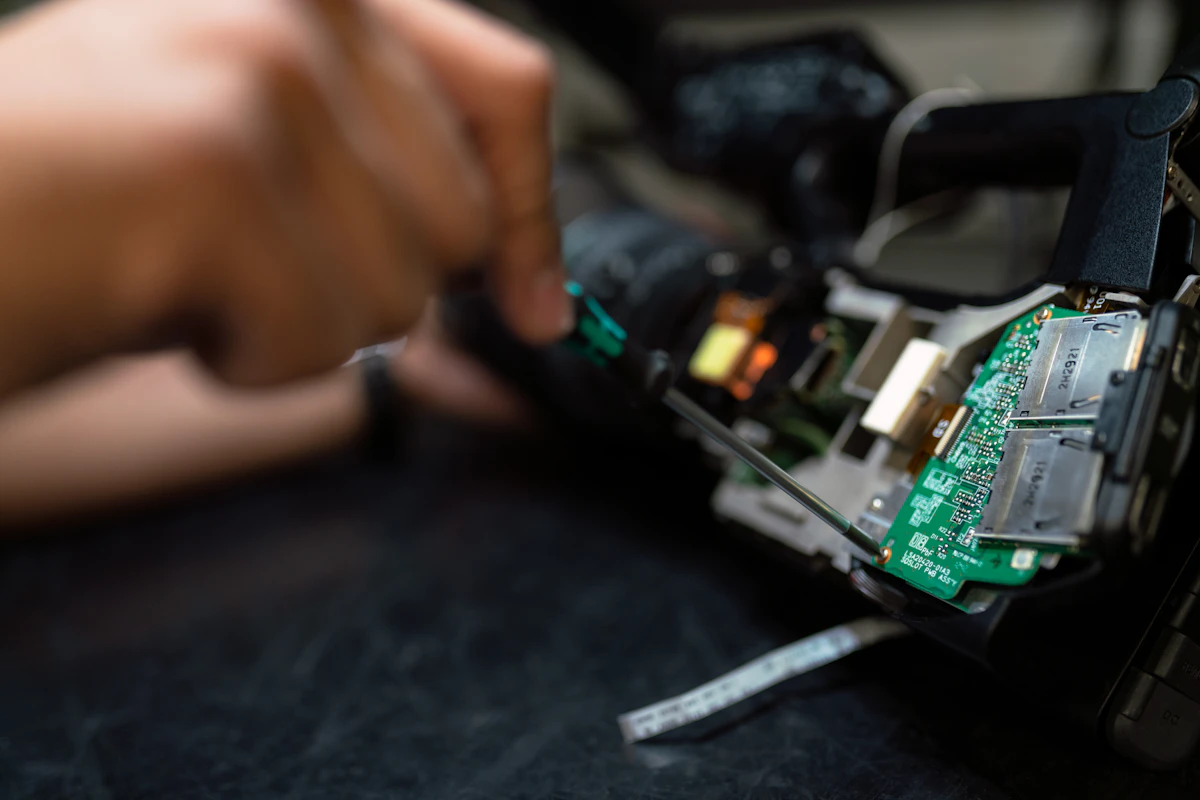
Prototyping automated mechanical sequences and systems.
Step 7: Understand Industrial Safety Systems
As a beginner, it’s tempting to think you’ll just program an emergency stop condition in your PLC. Real industrial safety involves safety relays, safety-rated PLCs, redundant circuits, guard interlocks, and functional safety standards. A normal PLC output turning off is not automatically equivalent to a properly designed safety function.

Implementing robust safety interlocks and emergency stop protocols.
Step 8: Implement HMI and SCADA Interfaces
PLCs control the machine, but humans need to interact with it via HMIs (Human-Machine Interfaces) and SCADA systems. For a software engineer, this area is exciting because it combines user interfaces, networking, databases, and real-time data.

Designing interactive operator screens and monitoring dashboards.
Step 9: Connect via Industrial Networking
Modern industrial systems communicate using protocols like Modbus TCP, EtherNet/IP, OPC UA, MQTT, and PROFINET. This is where your software background in APIs, databases, Python, and cloud systems creates an immense IT/OT advantage.

Bridging shop-floor protocols with enterprise network layers.
Step 10: Build a Portfolio That Gets Interviews
When transitioning from software development into industrial controls, hiring managers want proof that you understand physical logic. Don’t just list Python or web frameworks on your resume; showcase complete automation projects. Include GitHub repositories with structured Structured Text code, video recordings of your CODESYS or Factory I/O simulations running automated sorting lines, and architectural diagrams showing how your control logic interfaces with virtual sensors and actuators.

Documenting projects and simulations to demonstrate domain competence.
Step 11: Build a Low-Cost PLC Home Lab
Software simulation is crucial, but eventually touching physical wiring bridges the final gap. You don’t need a $10,000 Allen-Bradley rack to get started. You can build a functional entry-level home lab for under $150 using compact micro-PLCs (such as Siemens LOGO! or CLICK PLCs), a 24VDC power supply, a handful of push buttons, toggle switches, and simple LED indicator lights. Wiring your own inputs and outputs teaches you sinking/sourcing realities faster than any textbook.

Assembling a budget-friendly benchtop testing rig.
Step 12: Learn Industrial Troubleshooting
Writing code that works under ideal conditions is only half the battle. Real automation value is proven on the plant floor at 2:00 AM when a critical line faults out. Master systematic troubleshooting methodologies: use forcing tables cautiously, read electrical schematics alongside live software watch windows, verify field power with a multimeter, and trace communication dropouts across industrial switches. Knowing how to isolate whether a failure is mechanical, electrical, or logical separates hobbyists from professional automation engineers.

Applying systematic diagnostic procedures to resolve plant floor faults.
Step 13: Target the Right Jobs
When you are ready to apply, look beyond generic entry-level tech titles. Target roles like Controls Engineer, Automation Engineer, Systems Integrator, or IT/OT Integration Specialist. Emphasize your unique hybrid background: traditional employers love candidates who understand both robust PLC logic and modern software pipelines, database logging, and cloud connectivity.

Positioning your software background for high-impact automation roles.
Sources & Further Reading
Ready to Expand What Your Software Can Touch?
Explore our structured guides to accelerate your transition from screens to physical machinery.
Step 3 · Salary & market data
What does this career really pay in 2026?
Pay decisions need data, not vibes. The comparison page breaks down medians, ceilings, overtime math, and which industries pay the most - across every hands-on career on this site.
See the 2026 pay data →Step 4 · Fast-track training
Shorten the ramp with structured training
A guided bootcamp compresses months of self-study into a focused program with real lab reps and projects you can defend in an interview.
Start the PLC Programming Bootcamp →Step 5 · Free field kit
Download the 90-Day PLC Pivot Roadmap & Field Kit Checklist
A printable 90-day plan with weekly goals, plus the tool and drill checklist field techs use to stay job-ready - sent straight to your inbox.
✓ Check your inbox - the checklist is on its way.
No spam, ever. We only use your address to send the checklist and automation career updates.